Capture, decode and reverse engineer vehicle network traffic — CAN, LIN and SENT live from the car, plus FlexRay logs decoded with PicoScope. Build DBC, LDF and FIBEX databases, line signals up against video and analog channels, and export straight into MoTeC, MATLAB or MDF.
Each part of the app is covered in depth, with screenshots, on the features page.
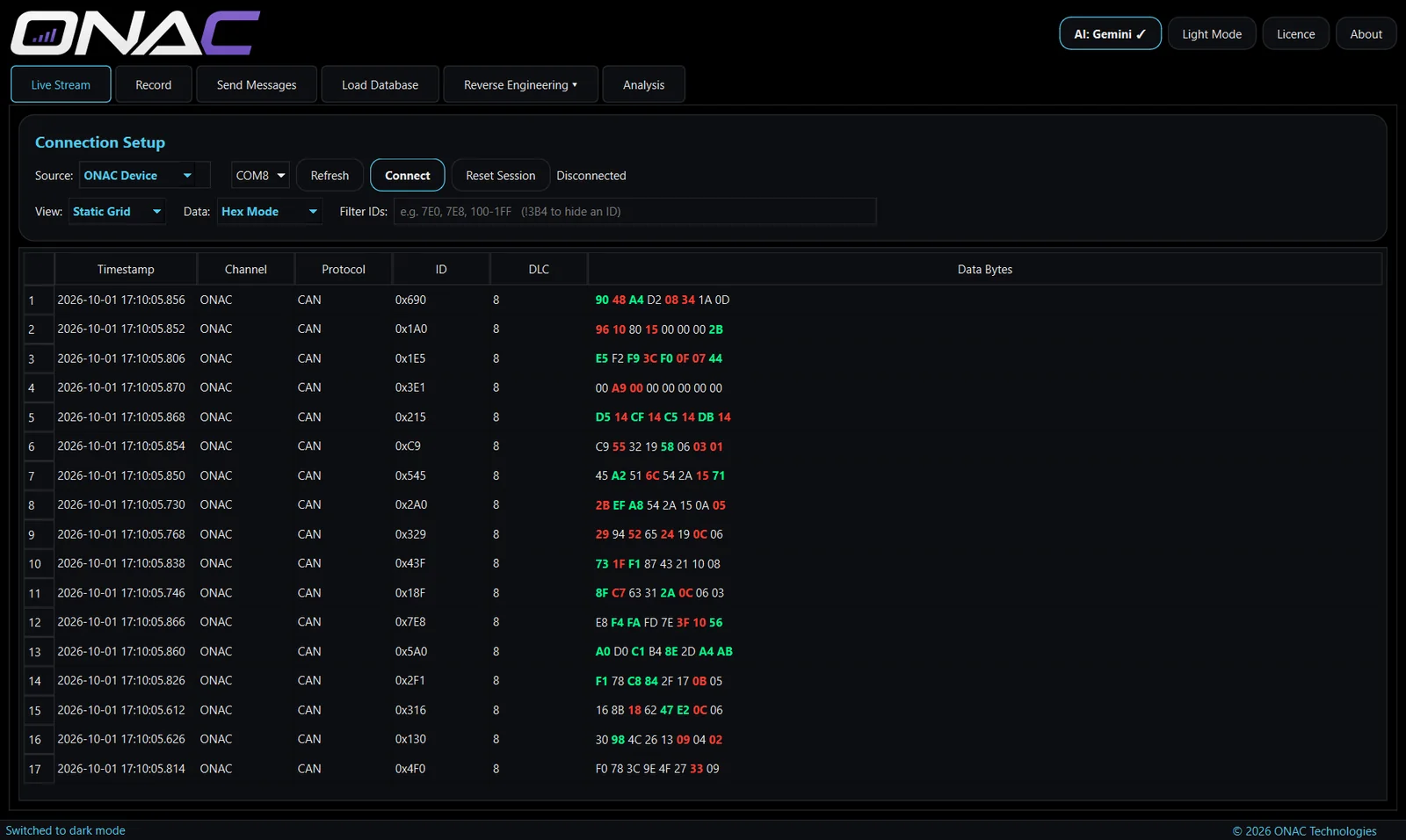
Watch traffic as it happens from an ONAC device, PicoScope or Mongoose ISO3 — scrolling log or static grid, hex, decimal or bit view, filtered by ID.
More →Capture sessions manually or on a trigger message, with pre- and post-trigger buffers, a camera feed and analog or manual reference channels.
More →Load DBC, LDF or FIBEX files and see every signal decoded into named, scaled values on a live dashboard you can record.
More →Find unknown signals with a signal miner, a live bit-by-bit view, a step-by-step Guided Test, or AI-assisted analysis of a whole log — then export a DBC.
More →Import CSV or MF4 logs, decode them, compare two sessions, review video alongside the data, and export to CSV, MATLAB, MoTeC .ld or MDF.
Compose CAN frames, build a send list and transmit once, on repeat, or replay a recorded log back onto the bus via a Mongoose ISO3. Approved users only.
More →The only difference is the ability to transmit onto a vehicle network. Everything that listens, records, decodes and analyses is in both.
Monthly subscription, cancel any time. Any applicable tax is shown at checkout.
Available to qualified professionals only. Apply and we'll be in touch.
| Feature | Standard | Pro |
|---|---|---|
| Live Stream (ONAC device, PicoScope, Mongoose ISO3) | ✓ | ✓ |
| Record, triggers, camera & reference channels | ✓ | ✓ |
| Load Database — DBC, LDF, FIBEX decoding | ✓ | ✓ |
| Reverse Engineering — miner, live, Guided Test, AI | ✓ | ✓ |
| Analysis, compare logs, video analysis, exports | ✓ | ✓ |
| Send Messages — transmit, repeat, replay | — | ✓ |
| Guided Test vehicle-speed step (involves driving) | — | ✓ |
| Price | £8.99 / month | On approval |
Get the installer from the download page and run it.
Checkout is handled securely by Stripe. Your licence key is shown straight after payment and emailed to you.
Open the app, paste your key and click Activate. That's it — the key works on up to two PCs.
| Operating system | Windows 10 or 11, 64-bit |
| Hardware interfaces | ONAC device, PicoScope, or Mongoose ISO3 — or none, to work with recorded logs |
| Networks | Live: CAN (125k–1M), LIN, SENT. FlexRay: logs decoded with PicoScope |
| Internet | For activation, and a licence check at least every 14 days |
| AI features | Optional. Uses your own Google Gemini or Anthropic Claude API key, or the built-in local miner with no internet at all |
Every tab, mode and export walked through with screenshots from the app.